
isso123 Connects Indonesia to Games and Wallets
isso123 puts Live Roulette Wheel, Capsa Susun Live, Aviator Quick Arena and Basketball NBA Bet behind one account, with DANA, OVO, GoPay and QRIS beside the cashier path.
Access is available only where local law permits.
Casino and Slots Beside Wallet Status
Casino and slots appear in separate lobby rows, so you can move between live tables, reel games and quick rounds without returning to the Home screen after every…








Open Your isso123 Account With Clear Steps
A working mobile number is the first practical step to opening your isso123 account. Choose the account option from Home, enter your number, create a password and complete phone verification before account access is enabled. We then place casino, slots, sportsbook and local wallet controls under that single account, reducing confusion between separate login paths. Keep the number available because
it identifies your account when a password or cashier status needs checking. Before adding funds, open the cashier once and confirm that your intended DANA, OVO, GoPay, QRIS, virtual account or bank transfer route is displayed.
Your isso123 Home At a Glance

Live Tables Show Rules Before Each Round
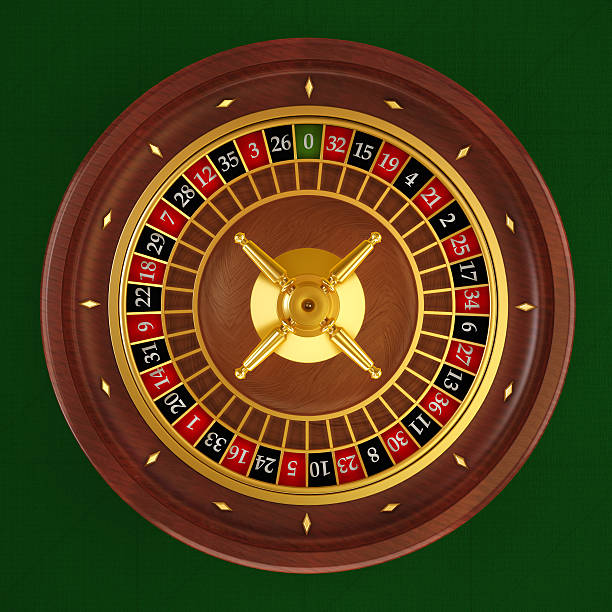
Live Roulette Wheel and Capsa Susun Live give you visible table context before you commit to a round. The live area also places baccarat, roulette, Dragon Tiger and blackjack beside the slot lobby, so changing categories does not require another account. Open the table panel to read its stake range, round state and game rules before taking a seat. A
live stream carries the dealer or wheel action, while the control area records your selection separately on screen. If your connection drops, check the displayed round state after reconnecting rather than repeating an earlier selection.
Slot Search Stays Clear on Mobile
Withdrawals Follow Your Verified Payment Route
A withdrawal request starts with your verified account and the cashier route shown on screen, not with a separate message asking you to send funds. Check the destination details carefully, enter the requested amount and retain the receipt or reference displayed after submission. Wallet and bank statuses may differ, so we show the transaction state in the cashier rather than
promising a fixed completion time. If a DANA, OVO, GoPay, QRIS, virtual account or bank transfer entry remains pending, use the nearby help path and provide its reference without sharing your password.
Account Checks You Can See at isso123
Clear checkpoints matter more than broad claims when you are deciding where to keep an account.
Phone verification
We use a clear phone check before account access. This gives you a recognisable account step and a reference point when asking for help with entry.
Cashier status
Each submitted payment route has a visible status area. Keep its transaction reference available so our help path can inspect the correct DANA, QRIS or bank entry.
Rules near games
Table rules, round state and stake details belong near the relevant game area, allowing you to inspect the conditions before making a selection.
Policy access
Account and availability terms remain reachable from Home. Read them before funding your wallet, as access depends on local law and may vary by location.

One Mobile Path Reaches Every Lobby
A mobile browser takes you from account entry to casino, slots and sportsbook without requiring a separate app. The layout keeps category controls within reach while leaving room for live-table streams, slot search and football, badminton or basketball markets. QRIS is particularly direct on a phone because the cashier presents the code or payment step beside the transaction status; follow
the displayed route for your device rather than opening an unrelated payment page. When returning later, use the same account path and check that your phone verification and wallet status are complete before reopening a game.
DANA and QRIS Keep Cashier Steps Clear
Local wallet choices are labelled individually so you do not have to guess whether a transaction was sent through DANA, OVO, GoPay or QRIS.
Casino and Slots Sit Beside Sports
Casino and slots remain separate from the sportsbook while sharing the same account and cashier, which lets you inspect football, badminton or basketball markets without losing your place…
Local Access Terms Stay Easy to Find

Indonesia access depends on local law, and our Home page keeps the relevant account and policy links within reach before you add funds. Availability can differ by location or account status, so read the displayed terms instead of assuming that every lobby area or cashier route applies everywhere. We do not use city names as proof of eligibility; a connection
from Semarang or any other area must still meet the conditions shown for the account. If a category is unavailable, do not try to bypass the restriction through another device, wallet or payment route.
Wallet and Login Help Starts Nearby
Account help begins close to the place where an issue appears. Use the Help entry beside the account or cashier path, choose the subject that matches login, phone verification or payment status, and include the visible transaction reference when one exists. The panel shows its current availability before you send a request, avoiding an unsupported promise about response hours. Never include your password or ask us to accept funds through a private message. For game-round questions, record the title, time and displayed round reference before leaving the relevant lobby area.
Login and phone checks
Tell us whether the issue occurs before or after phone verification and copy the message shown on screen. Keep your password private throughout the request.
Payment receipt checks
Open the cashier help path with your DANA, OVO, GoPay, QRIS or bank transaction reference ready. We use that reference to identify the relevant status.
Game round checks
Provide the game title, approximate time and displayed round reference when asking about a live table, slot or quick-round result. Avoid submitting a duplicate request.
Receipts Make Support Checks More Direct
Useful account requests contain facts we can match to the Home screen. For a wallet issue, note the payment method, amount, transaction reference and current cashier status; for account entry, state whether phone verification completed and quote the displayed message. A game query needs the exact title and round reference, such as one shown for Live Roulette Wheel, Fishing War
Fast Round or Pekanbaru Live Table. Send one clear request through the nearby Help entry and keep your password out of it. This gives us a precise starting point without exposing your account credentials.
isso123 Home Questions Answered Clearly
These answers cover the practical checks commonly made before opening an account from Home: what sits inside the lobby, how phone verification works, which Indonesian wallets appear, where transaction status is shown and how mobile access behaves. They also explain the route to account help and the role of local availability terms. If your screen differs from the description, rely on the controls and conditions displayed for your account, then use the nearby Help entry with a receipt or round reference when applicable.